Follow our video guide to create your perfect number plates
Follow these simple steps to create and order your custom number plates

Start by entering your vehicle registration number in the plate builder. Make sure to enter it exactly as it appears on your V5C document.

Select from our range of premium styles including 3D Gel, 4D Acrylic, and more. Each style offers a unique look for your vehicle.

Choose the right size for your vehicle. We offer standard, short, and custom sizes to fit cars, motorcycles, and more.

Enhance your plates with our stylish border options. Choose from various colours and designs to add a personal touch.

Add a flag badge to your plates. Choose from GB, UK, England, Scotland, Wales, and many more country flags.

Use our 3D preview to see exactly how your plates will look. Rotate, zoom, and check every detail before ordering.

Happy with your design? Add your custom plates to the basket. You can also add accessories like fixing kits.

Complete your order with our secure checkout. We accept all major cards and offer fast UK delivery on all orders.
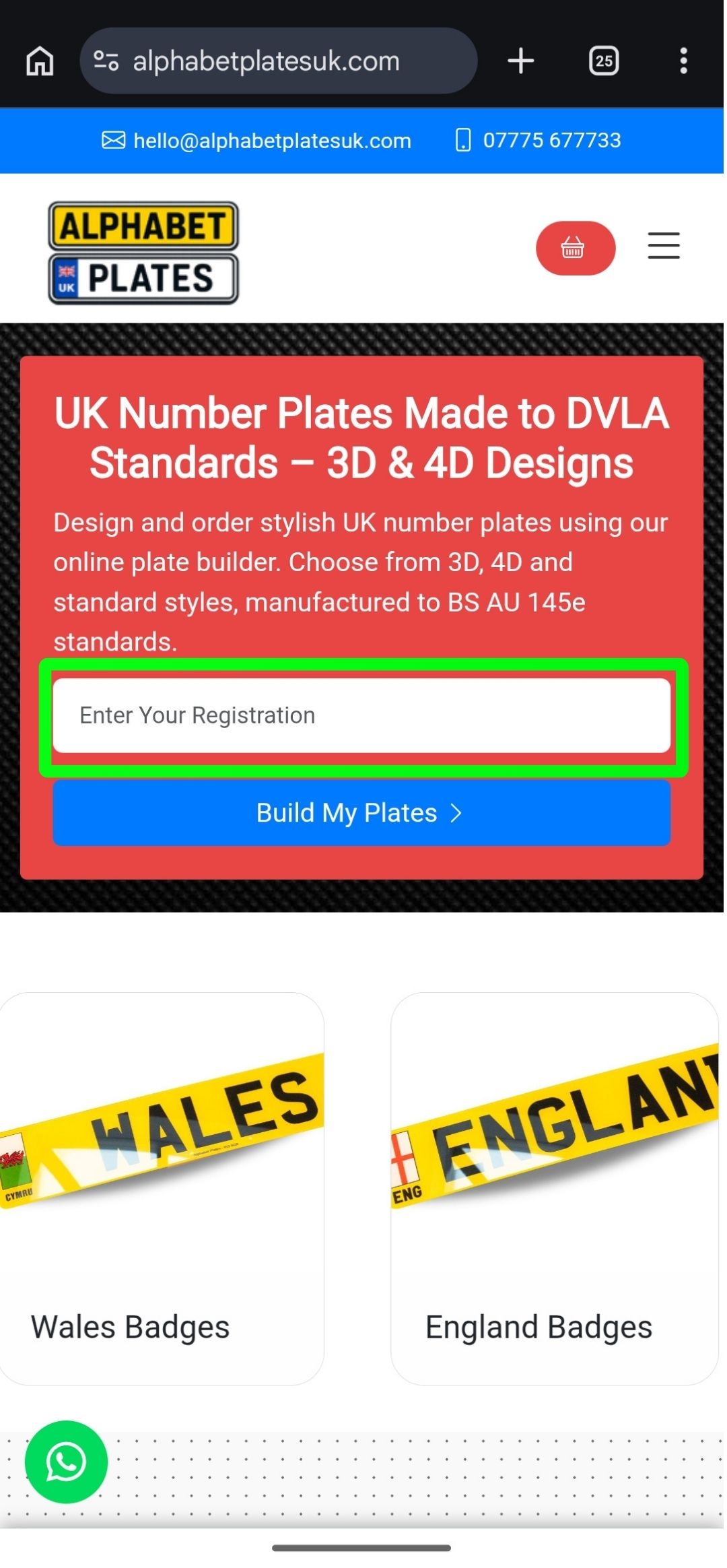
Start by entering your vehicle registration number in the plate builder. Make sure to enter it exactly as it appears on your V5C document.
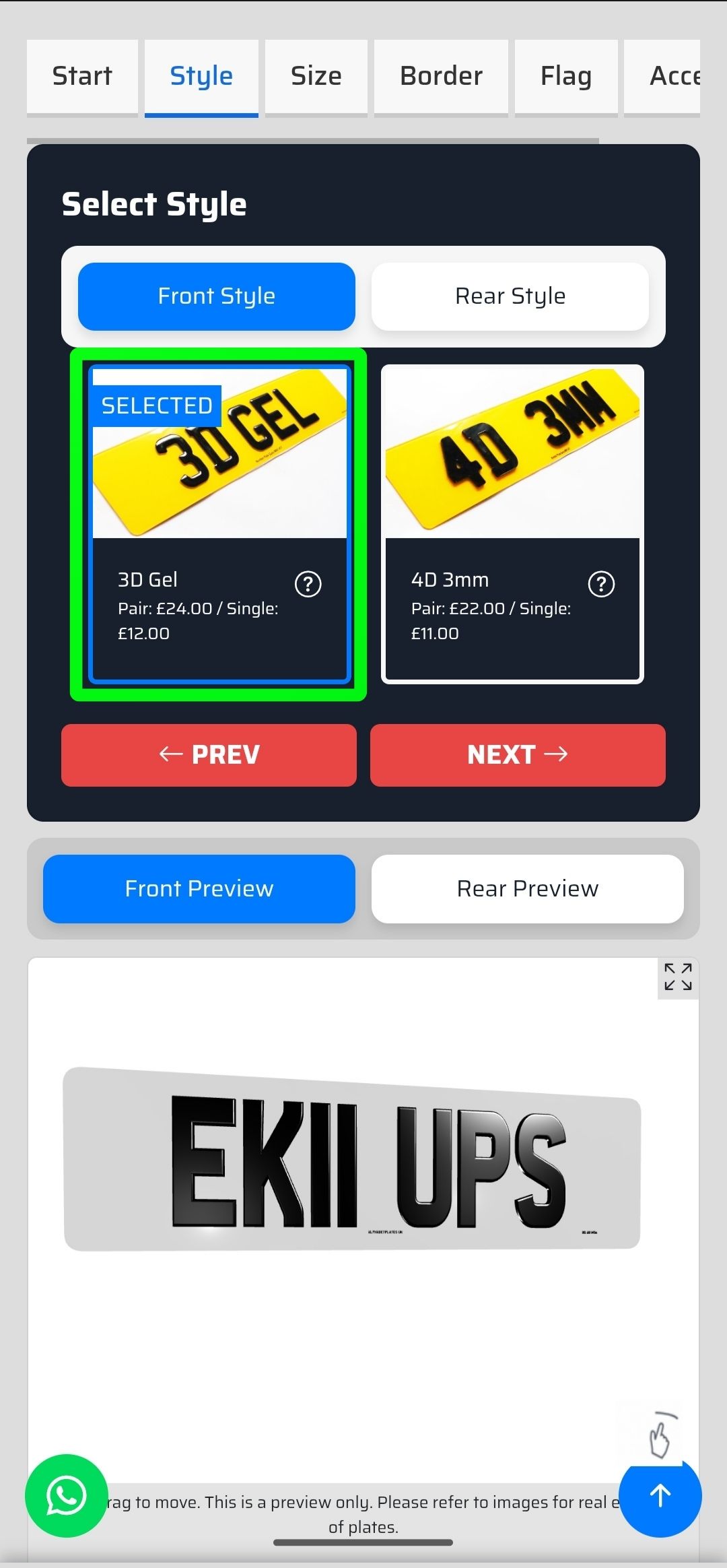
Select from our range of premium styles including 3D Gel, 4D Acrylic, and more. Each style offers a unique look for your vehicle.
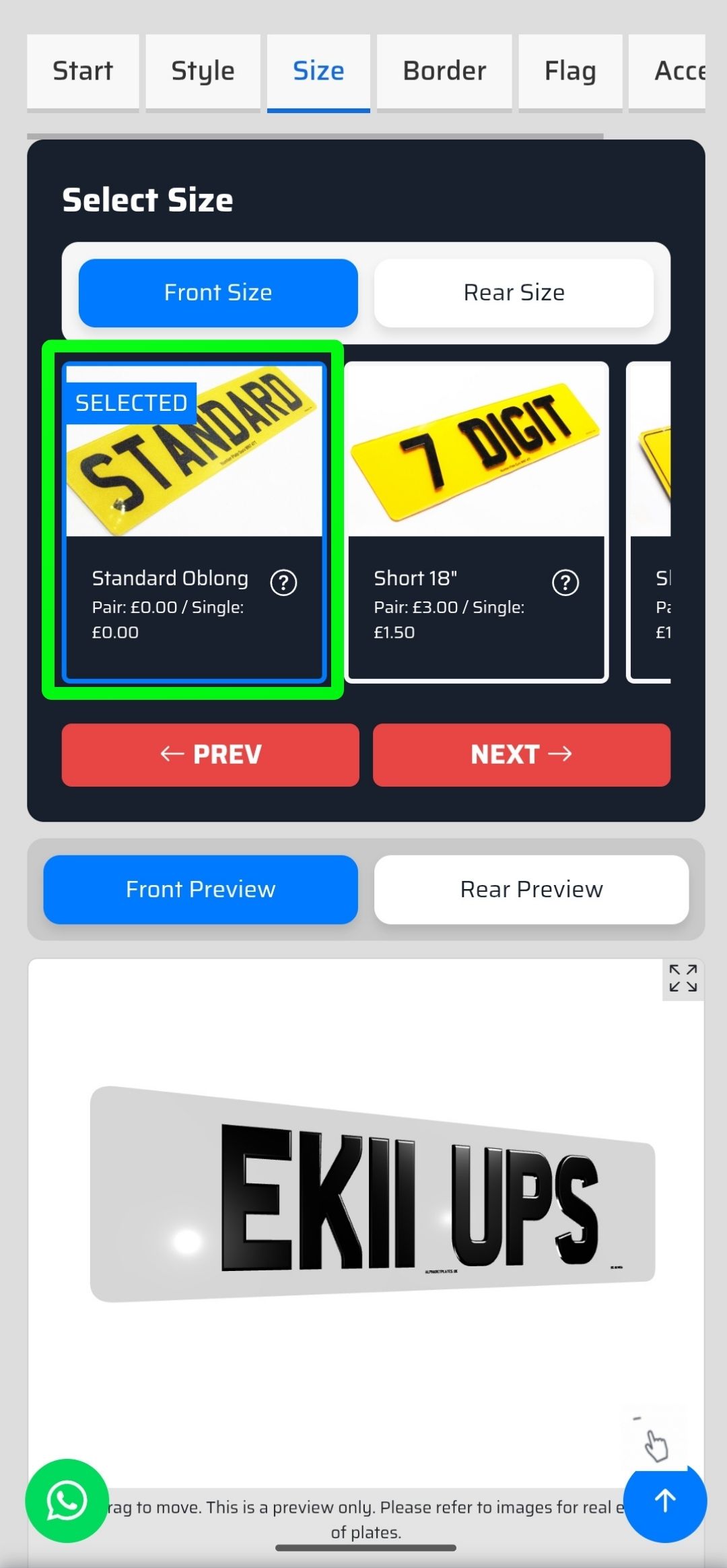
Choose the right size for your vehicle. We offer standard, short, and custom sizes to fit cars, motorcycles, and more.
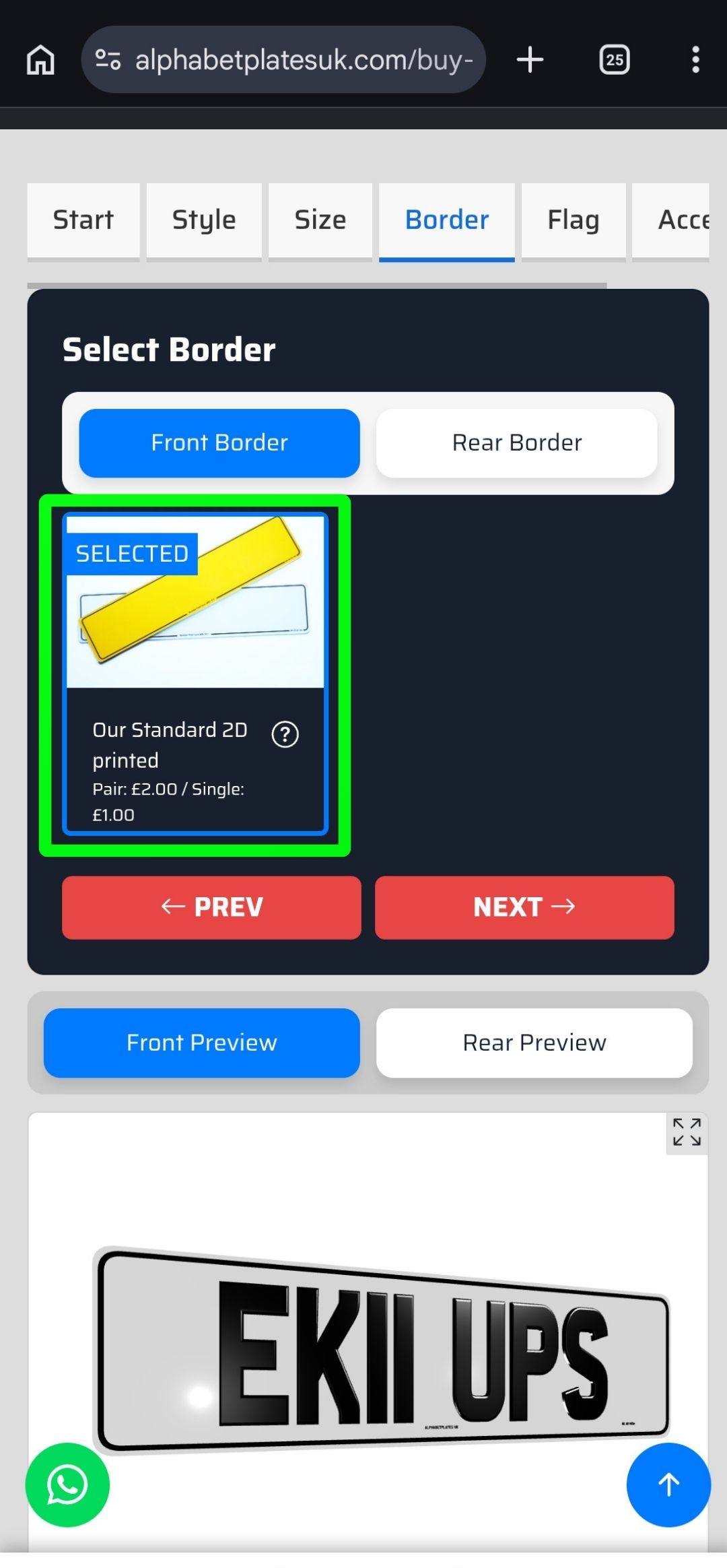
Enhance your plates with our stylish border options. Choose from various colours and designs to add a personal touch.
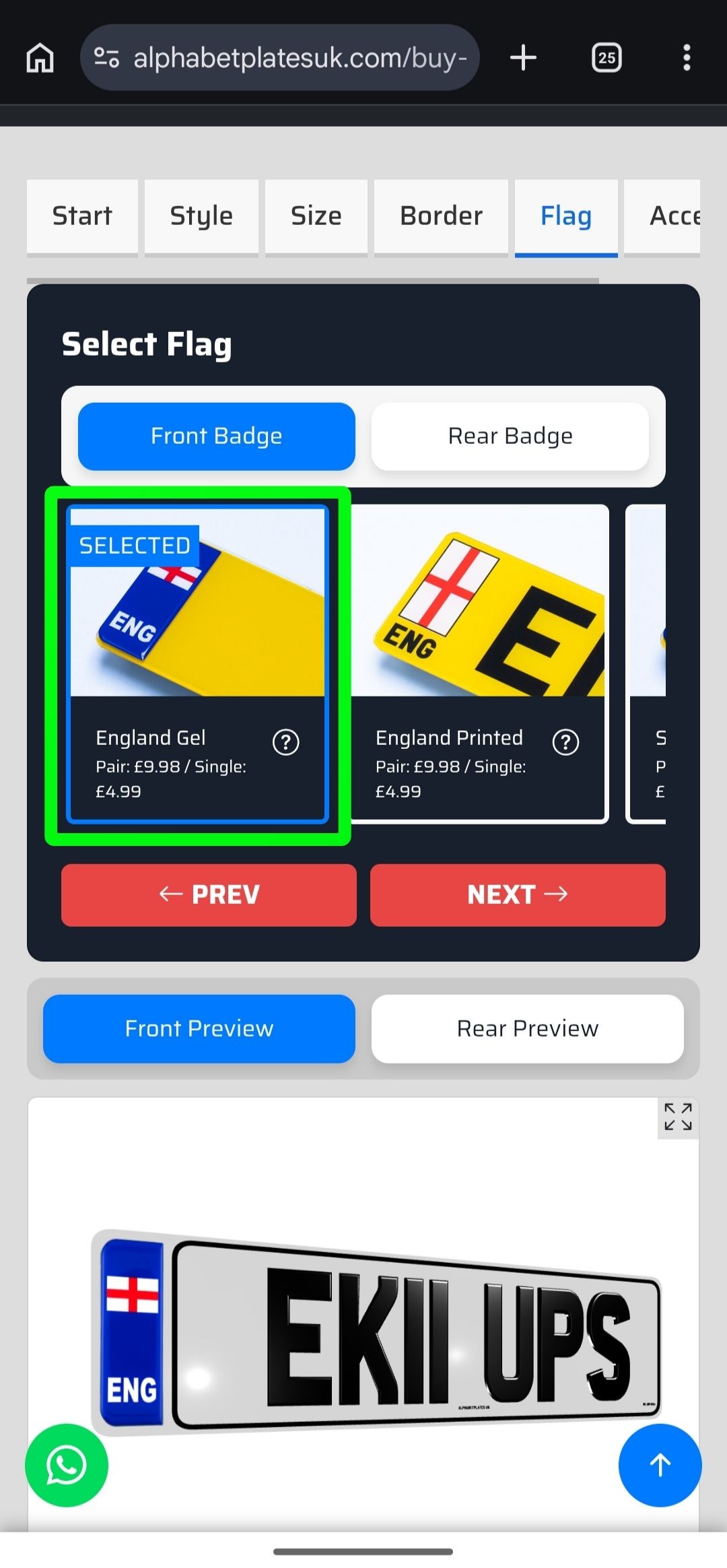
Add a flag badge to your plates. Choose from GB, UK, England, Scotland, Wales, and many more country flags.

Use our 3D preview to see exactly how your plates will look. Rotate, zoom, and check every detail before ordering.
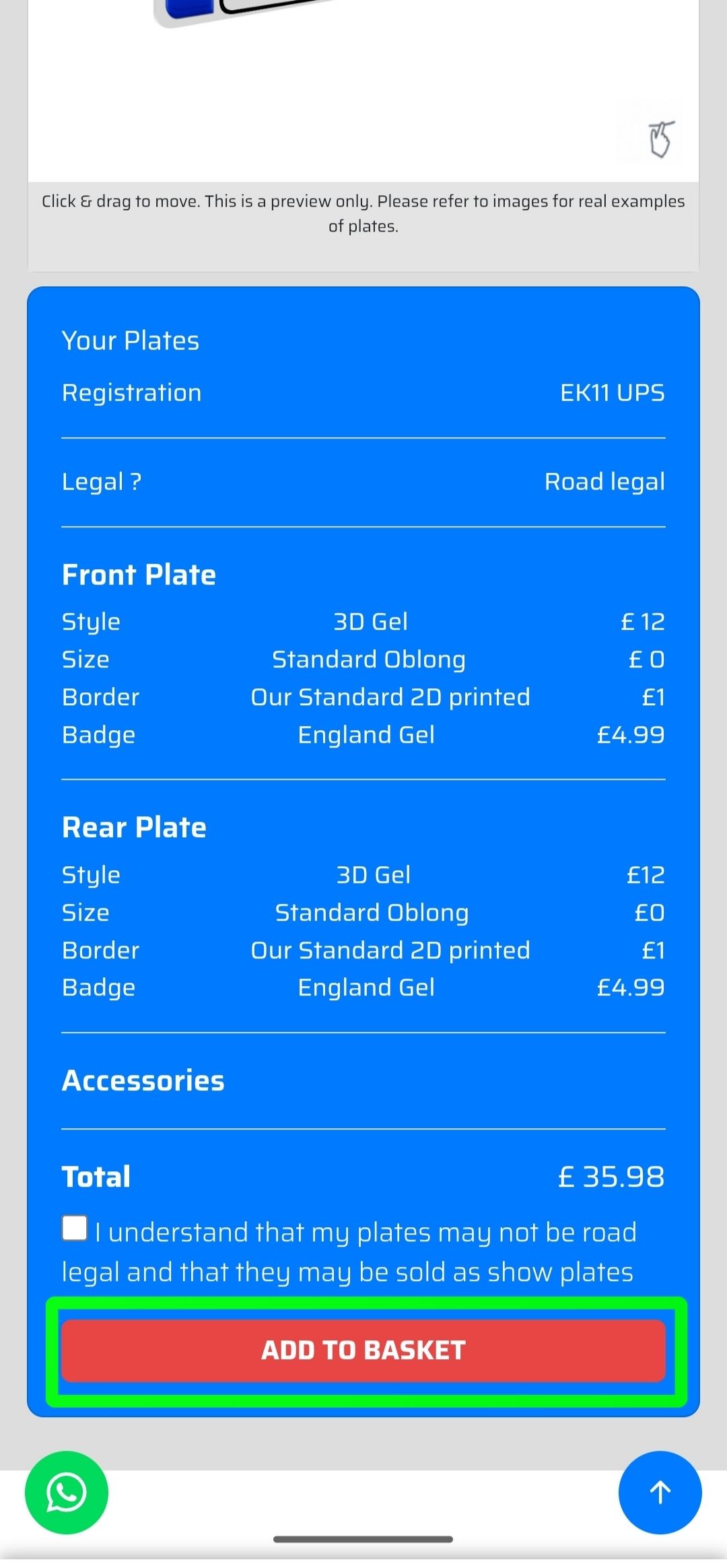
Happy with your design? Add your custom plates to the basket. You can also add accessories like fixing kits.
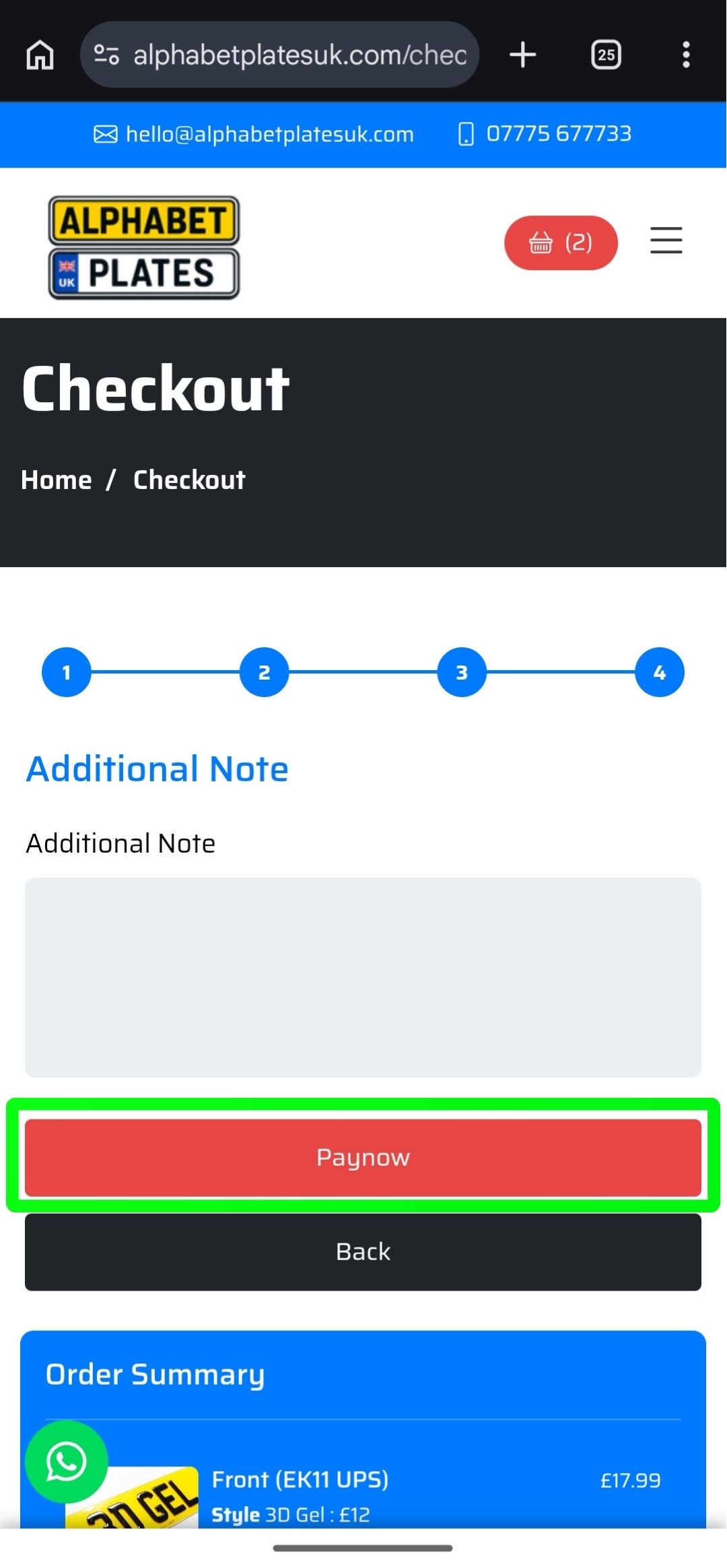
Complete your order with our secure checkout. We accept all major cards and offer fast UK delivery on all orders.
Start designing your custom number plates now with our easy-to-use plate builder
Start Building NowSTANDARD DELIVERY & FIXING KIT WITH ALL ORDERS